
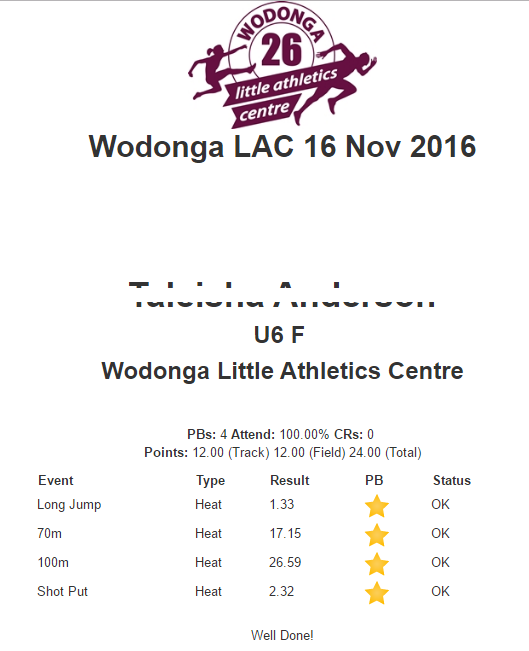
ResultsHQ produces a couple of Certificates - the Season Personal Best (PB) and Meet Certificates are great to hand out to your Athletes. Each Certificate lists all of the events, PB count, event count, and various statistics relating to those events for each Member, on a single page.
Season Personal Best (PB) Certificate:
1. From within your ResultsHQ profile, go to More and select Season PB Certificate option from the top menu
2. You will now be in the Season Certificates report builder. Select the particular group of athletes, dates, and events that you would like to include in your Season Certificates.
3. To print the certificates, close the "Manage Certificate Options" window and select the View button to produce your certificates into a new browser window
4. Your certificates will appear in a new browser window. They will include your Centre logo, and athlete and result details.
5. To print your certificates, right click on the image and press Print. Using the options provided by your web browser for printing (we suggest using Google Chrome), print your certificates to a printer or save as a PDF file.
Meet Certificate:
1. From the Season Calendar - you can print a Meet Certificate which includes all results from a specified Meet Date in a similar format. Click the Certificate icon next to the meet you would like to produce the Certificate for.
2. The settings screen is similar to the Season Certificate - complete and click view to generate the Certificates.
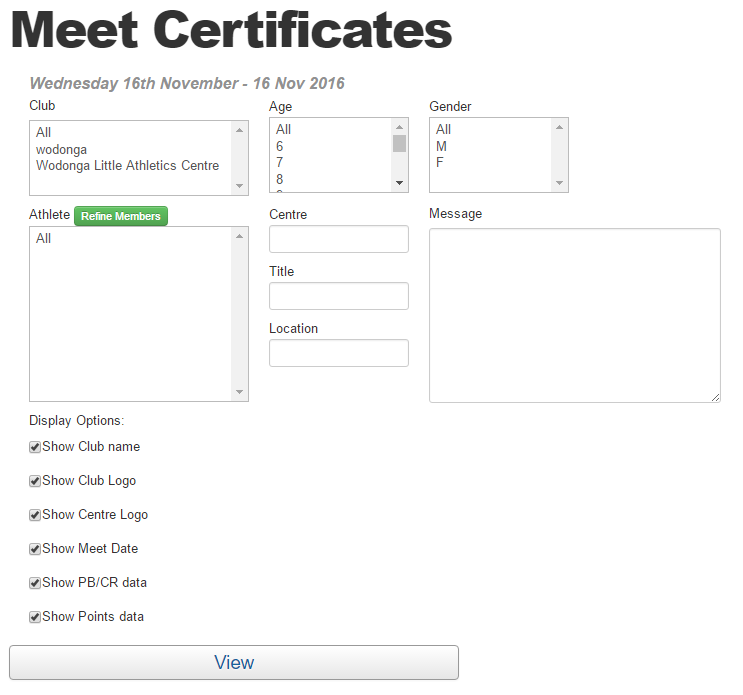
3. Print off the certificates and reward the Athletes.
Comments
0 comments
Article is closed for comments.